
WinSpirit KYC Verification: Documents, Timing and Approvals
 Available in AU
Contents
Identity checks
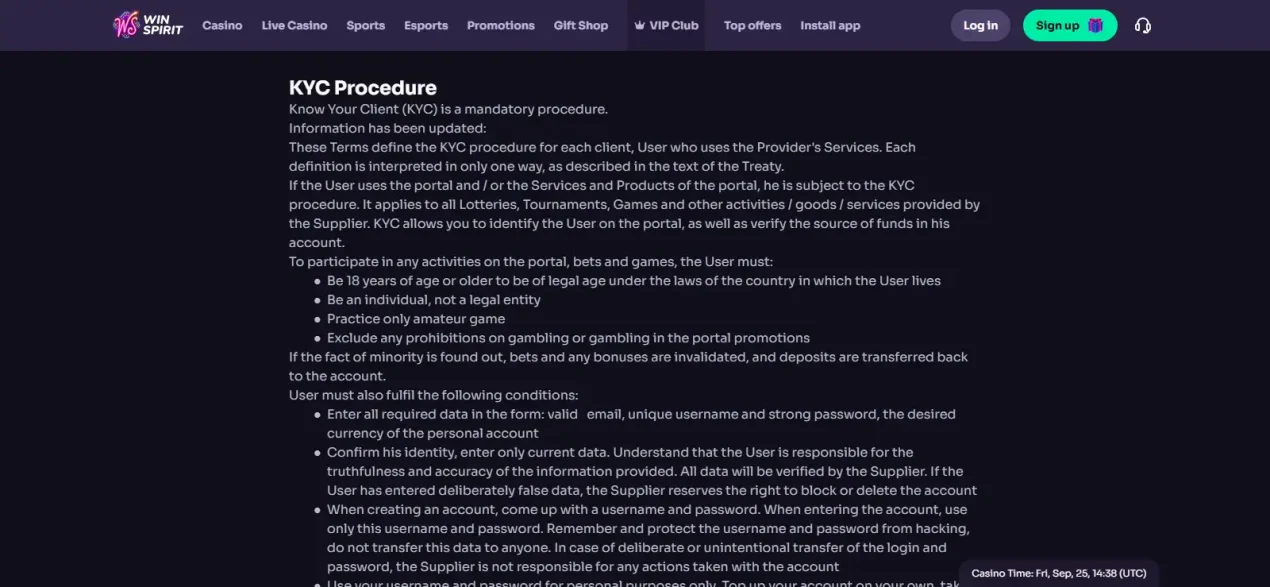
WinSpirit’s KYC procedure is mandatory. The current official FAQ says verification typically takes 2-24 hours and is handled through the Profile’s Verification area. It also directs users to that Verification section for the current list of accepted documents. Because the current FAQ directs users to the live Verification section for accepted documents, this guide does not reproduce a fixed document list that could become stale or incomplete.
The useful takeaway is procedural: expect identity verification, follow the live Verification screen for the evidence requested on your account and treat the published 2-24 hour window as stated guidance rather than a guaranteed completion time.
withdrawal processaccount guideKYC status Mandatory WinSpirit treats verification as part of the account-security process. Stated timing 2-24 hours The FAQ gives this as the usual verification window, not a fixed guarantee. Where to verify Profile – Verification The current FAQ directs users to the Verification area and status inside the Profile. Minimum age 18+ WinSpirit states that players must be at least 18, subject to any higher applicable local age requirement.
What verification is doing
Mandatory KYC Identity Checks, Accepted Documents and Timelines
WinSpirit describes verification as the standard process of confirming a player’s identity. In practical terms, that means the account holder should expect to provide evidence through the operator’s Verification process rather than assume that email activation alone completes every account check.
The FAQ connects verification with account security and withdrawals. That is why KYC belongs in the account setup sequence before a cash-out becomes urgent. If the Profile shows an unfinished verification step, resolve it before treating a withdrawal delay as a payment-provider problem.
Current-source boundary: the FAQ confirms that valid-document requirements are shown in the Verification section. The separate KYC page did not provide readable text in this session, so exact passport, card, address or funding-document requirements are not restated here.
This approach is intentionally narrower than copying an older checklist. The Verification screen attached to the account is the better source for the evidence currently requested in a specific case.
Verification process
Use the live Profile status instead of assuming every account follows the same checklist
| Step | What is verified now | What not to assume |
|---|---|---|
| Open Verification | The FAQ points users to Profile – Verification for the process and status. | Do not rely on a third-party document list instead of the live operator screen. |
| Review requested evidence | The operator maintains the valid-document list in the Verification section. | Do not assume every Australian account will receive the same document request. |
| Submit the requested evidence | KYC is mandatory and the submitted data is used for the verification procedure. | Do not treat upload as automatic approval. |
| Watch the status | The FAQ says users are notified of verification status and can check it in the Profile. | Do not treat the 2-24 hour range as a deadline guaranteed for every case. |
Reading the timing
The stated 2-24 hour KYC window is guidance, not a promise of approval
The official FAQ currently states that verification takes 2-24 hours. The safest way to use that number is as the operator’s published processing guidance for a normal verification case. It does not mean every submission will be approved within 24 hours, because completion depends on whether the evidence supplied satisfies the checks applied to the account.
If the status remains unresolved, look first at the Verification area for a request or status change, then use support if the account does not explain what is needed. Repeatedly uploading different documents without a clear request can make it harder to understand which submission is being reviewed.
The broader registration and account guide covers live chat, support email and access recovery. This page stays focused on identity checks.
KYC and cash-out
An unverified account can interrupt the withdrawal process
WinSpirit’s FAQ explicitly lists an unverified account among the reasons a withdrawal may not proceed. It also says a new payment system or card that was not used for the deposit may need to be verified before it can be used for a withdrawal. That makes identity and payment-route checks part of the cash-out sequence, not a separate compliance topic with no practical effect.
The dedicated WinSpirit withdrawal guide explains the request review and provider-processing stages. The important KYC point is earlier in that sequence: if verification is incomplete, resolve the account check before judging the payment route by speed alone.
Do not interpret KYC completion as a promise that every withdrawal will be accepted or settled within a fixed time. Bonus status, payment-route verification and other account checks can still matter after identity verification is complete.
Document-list discipline
Why this guide does not invent a fixed Australian KYC document checklist
A document checklist is useful only when it reflects the operator’s current procedure. WinSpirit’s current FAQ says the valid list is maintained in the Verification section. Repeating an older fixed list would create a false sense of certainty, so the live Verification section is the appropriate place to confirm accepted documents.
For that reason, use the live Verification section as the source of truth for which evidence your account is asked to provide. If the interface asks for additional evidence, follow that request or contact support rather than substituting a document suggested by an unrelated casino guide.
The same rule applies to masking and image-format instructions. Security-sensitive upload requirements can change, and a stale instruction can produce a rejected submission. Use the current on-screen instructions for what must be visible, what may be concealed and which file formats are accepted.
Practical rule: this guide verifies the existence, location and stated timing of KYC. The live WinSpirit Verification screen should decide the exact evidence you submit.
Preparing the verification request
Use Profile – Verification as the live checklist for your account
The most reliable preparation step is to start inside WinSpirit’s own Profile – Verification area. The current FAQ directs users there for verification status and the valid-document list. That matters because the exact documents can depend on the account and on what WinSpirit needs to confirm at that point, while the separate KYC page did not expose readable body text during the latest source check.
Before uploading anything, compare the account details you entered with the information shown on the record you plan to submit. The goal is not to guess a universal Australian checklist but to avoid an obvious mismatch between the account and the evidence requested in the live verification screen. Use clear, complete files and follow the current on-screen instructions for format or masking instead of applying rules copied from an older review.
Payment-method verification can also matter later in the account journey. WinSpirit’s FAQ identifies an unverified account and verification of a new payment route as possible reasons a withdrawal cannot proceed. Completing the requested checks before relying on a payout timeline therefore reduces the chance that identity review and withdrawal review begin at the same time.
If the status is still pending after submission, treat the stated 2-24 hour window as guidance rather than a countdown guarantee. Additional review can require more information, and the appropriate response is to follow the current Profile instructions or support request rather than uploading unrelated documents in the hope of speeding the process.
- Open Profile – Verification and use the current valid-document list shown there.
- Make sure account details and submitted evidence are consistent.
- Follow the live upload and masking instructions instead of an old third-party checklist.
- Check verification status before starting a withdrawal that depends on the account being verified.
Sources checked
Current first-party evidence behind the KYC guide
- WinSpirit official FAQ – verification status, 2-24 hour stated timing, Profile location and withdrawal connection
- WinSpirit KYC procedure – official KYC source page for current verification requirements
Connect the checks in the right order
How WinSpirit Verification Connects to the Withdrawal Process
KYC is a mandatory account check, and the current FAQ gives a typical 2-24 hour verification window. Check the Profile – Verification status and follow the current evidence request before submitting or troubleshooting a cash-out.
Once verification is clear, the withdrawal process adds its own review and payment-provider stages. For registration, support and account-limit settings outside KYC, return to the WinSpirit account guide or the WinSpirit Australia review.
This material was created by the WinSpirit Australia Guide team.
Related posts
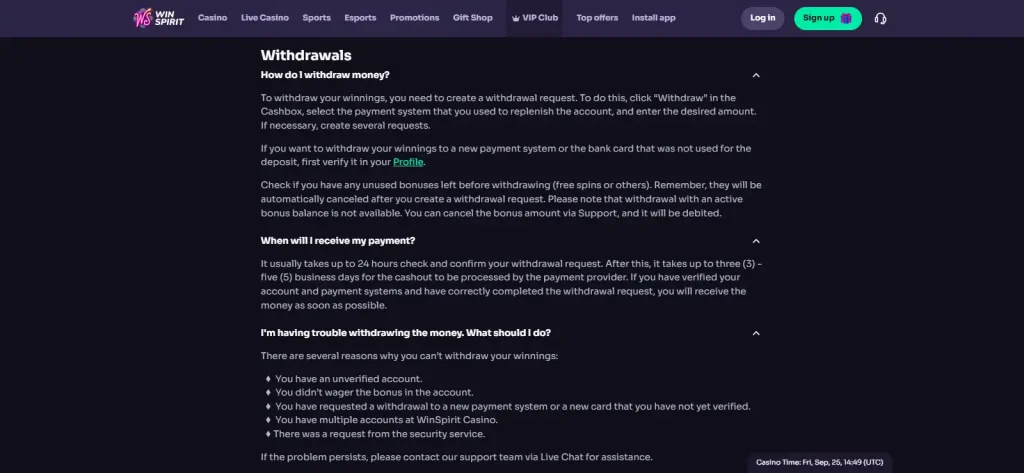
WinSpirit Cashout Times, Payout Limits and Withdrawal Checks
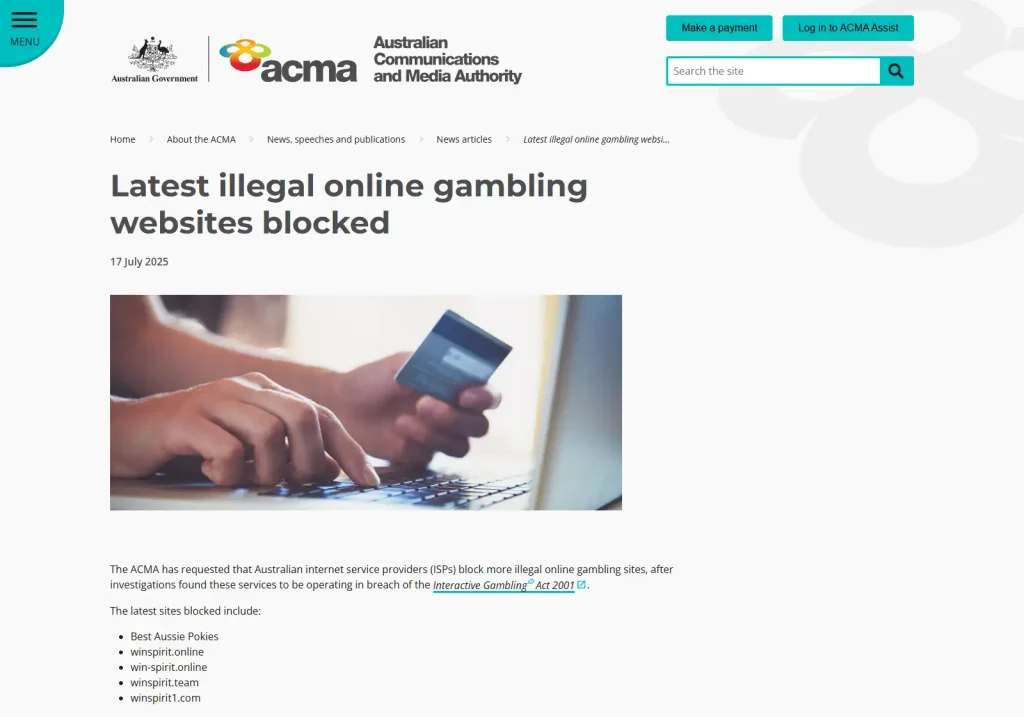
Australian Online Casino Legislation and WinSpirit Legal Status